TIME-LIMITED ACCESS / ELEVE ADMIN
Temporary administrator rights for Windows
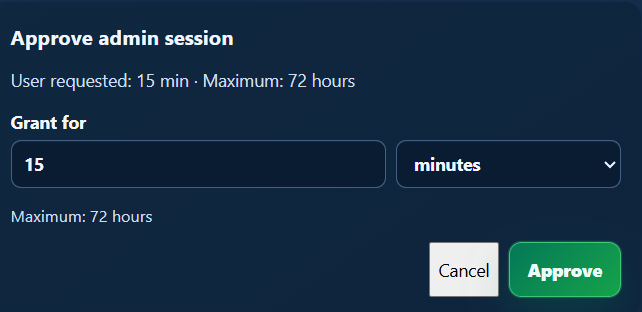
Give an employee local administrator rights for a specified period without permanent membership in the local Administrators group. IT makes the decision in the tenant panel and can review session history.
01 / WHEN IT HELPS
When it helps
A one-off task may require administrator rights, but permanent access is unnecessary. Eleve Admin lets IT review a specific request and define how long the rights remain active.
02 / ELEVE ADMIN
How it works
- 01
The employee sends a request to tenant administrators.
- 02
An administrator approves it for a set duration or rejects it with a comment.
- 03
The user receives a notification; after approval, they sign out and back in to activate the rights.
- 04
A countdown warning appears five minutes before expiry; after sign-out and sign-in, the rights are no longer available.
ELEVE ADMIN / PANEL
What an administrator sees
The session history records actions taken while administrator rights are active, including installs and removals.